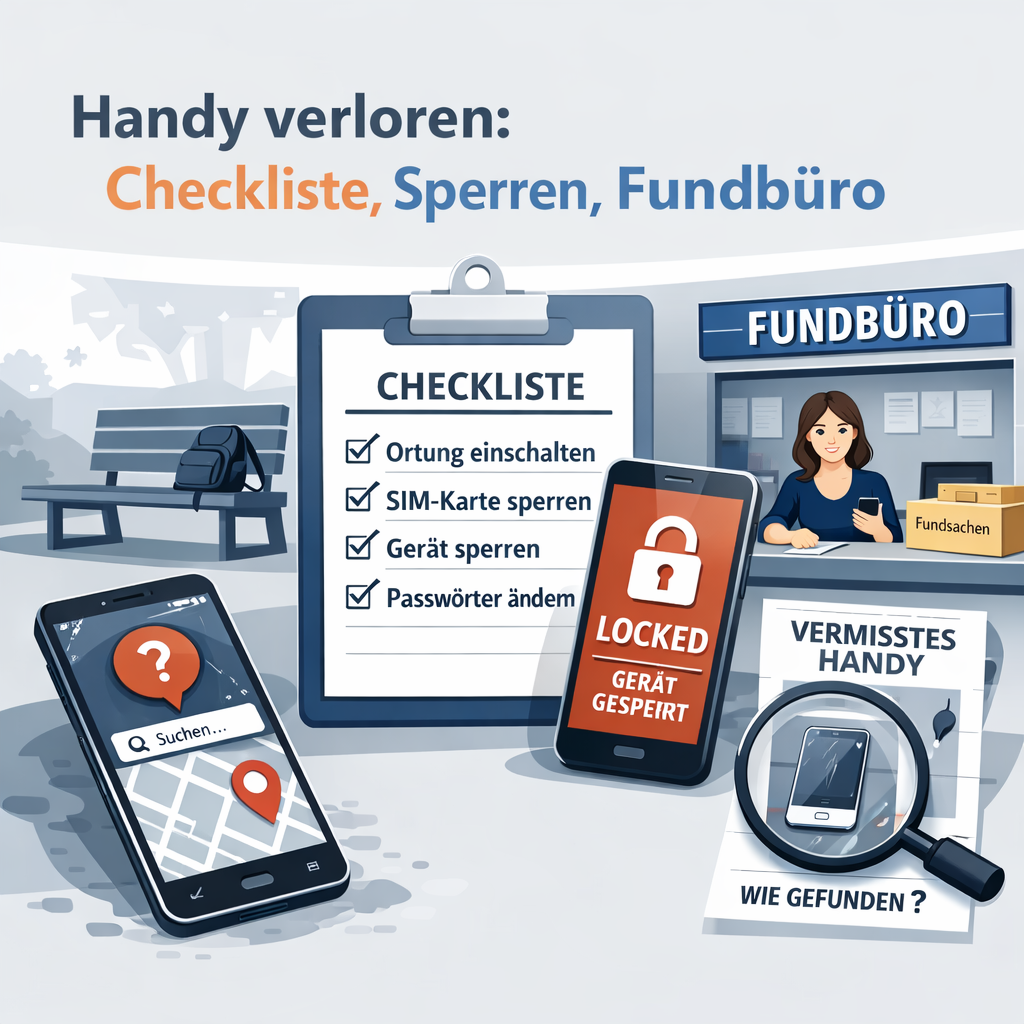
At first, losing your mobile phone can feel like a complete loss of control. After all, it doesn’t just contain contacts and photos, but often also banking apps, messaging services, emails, social media accounts and sometimes even work-related data. The good news is that if you stay calm now and take the right steps in the correct order, you can often minimise the damage significantly.
Above all, there’s one key principle: secure your data first, then carry on searching. Of course, it’s worth taking a quick look in your bags, jackets, car, sofa or under the charging cable. But once it’s clear that your mobile really is gone, you shouldn’t waste any time.
The most important steps to take straight away
If you’ve lost your mobile, these steps will help you as an immediate checklist:
- First, check whether the device might simply have been misplaced.
- Call your mobile or make it ring.
- Block your SIM card or eSIM with your mobile network provider.
- Secure your online banking, cards and payment services.
- Activate Lost Mode or device lock.
- Change important passwords, starting with your email account.
- Use Apple or Google’s location tracking services.
- Contact lost property offices, lost property centres or Deutsche Bahn.
- Report the incident to the police if you suspect theft.
The first 30 minutes after losing your phone
In the first few minutes, it’s not perfection that counts, but speed. If you last used your mobile phone in a café, on a train, in the office, in a taxi or on the street, take a systematic approach.
First, try calling the device. It may still be nearby or may have been found by an honest person. If there’s no answer and you can’t locate the device with certainty, you should immediately secure your technical and financial access. Block your SIM card immediately.
Block your SIM card straight away
Your SIM card is particularly important because it is often used to receive SMS codes for login confirmations or password resets. Anyone who gains access to your number may, under certain circumstances, be able to log into other accounts.
You should therefore contact your mobile network provider as soon as possible and have the SIM card or eSIM blocked. Have your phone number, customer number or customer password to hand if possible. Ask for a replacement SIM straight away so that you can be reached again quickly.
Securing your cards, banking and digital wallet
If you use online banking on your smartphone or have cards stored in Apple Pay or Google Wallet, you should next secure your payment methods. These include debit cards, credit cards, banking apps and any stored TAN procedures.
It’s best to make a note of the date and time of each block. This may be helpful later on, if you need to provide details to your bank, insurance company or the police.
Locate and lock your iPhone or Android
Both Apple and Google offer the option to locate, lock and, in an emergency, remotely wipe lost devices.
Lost iPhone
With Apple, use the ‘Find My’ feature. There, you can mark your iPhone as lost, activate lock mode and display a message on the screen. This makes it easier for anyone who finds it to contact you without having to unlock the device.
Lost Android
On Android, you use ‘Find My Device’. Here, too, you can locate your smartphone, lock it and display a message for anyone who finds it.
Although remote wiping is possible, it should be carefully considered. Once you wipe the device, it often becomes more difficult to get it back, as location data and personal notes may be lost. It’s best to use this option if there is sensitive data on the device and it’s highly unlikely to be returned.
Change your passwords in the correct order
Many people make the mistake of securing their social media or messaging apps first. However, it is far more important to secure your email account, as this allows you to reset most of your other accounts. It is best to proceed in the following order:
It’s best to proceed in this order:
- Change your email password
- Secure your Apple or Google account
- Check your banking accounts
- Check messaging apps such as WhatsApp or Signal
- Secure your social media accounts
Also check whether you can log out of active sessions on other devices. Many services show which devices you’re currently logged in on.
Make a note of your IMEI and keep it safe
The IMEI is your smartphone’s unique device number. It can be helpful when reporting a loss or when identifying the device. Ideally, you should have already noted down the IMEI separately before losing your device, for example from the original packaging or the device settings.
If you don’t have the number to hand right now, it’s still worth gathering together proof of purchase, serial numbers and device specifications.
Lost Property Offices, Deutsche Bahn and public transport
If you’ve lost your mobile phone on a train, at a station, on a bus or tram, in a taxi or in a public place, you should contact the relevant lost property offices directly. When travelling with Deutsche Bahn, the DB Lost Property Service is an important point of contact. In towns and cities, the local lost property office or transport authorities can often help.
The more accurately you describe the device, the better. It is helpful to provide:
- Brand and model
- Colour and case
- Stickers, scratches or other distinctive features
- Place and time of loss
- Train number, line, carriage or seat number, if known
Important to note: Lost property often does not appear in the system straight away. Sometimes it takes a few hours or even one to two days for an item to be officially recorded.
When you should go to the police
If you suspect that your mobile phone has been stolen, you should report it to the police. This is particularly important if you cannot explain the loss, if the tracking service points to a suspicious address, or if there are signs of misuse.
If possible, bring the following information with you when filing the report:
- Proof of purchase or contract details
- IMEI or serial number
- Description of the device
- Time and place of the loss
What finders should do
If you ever find someone else’s smartphone, you should not try to unlock it or view any private content. It is better to look for any visible clues on the lock screen or hand the device in at an official lost property office.
If a return code or a corresponding note is displayed on the device, it can make it much easier to get in touch with the owner.
Why a return code is useful
Tracking services are helpful, but not always enough. If the battery is flat, the device is offline or the location is inaccurate, the search often ends in frustration. This is exactly where an additional return option comes in handy.
With a system such as BackCode, an honest finder can contact you without your private telephone number or address being visible. This is particularly useful if your mobile phone has been found but can no longer be technically located.
Handy checklist to copy
Here’s the short version if you need to act quickly:
- Quickly search for your mobile and have someone ring it
- Block your SIM or eSIM
- Secure your banking and digital wallet
- Activate Lost Mode
- Change your email password
- Secure your Apple or Google account
- Check location
- Notify the lost property office or transport operator
- Report the theft to the police
Conclusion
Losing your mobile phone is annoying, but it’s no reason to panic. By following a clear sequence of steps, you can quickly safeguard the most important things: your number, your accounts, your payments and your personal details. This increases the chances that your smartphone will turn up again or, at the very least, that no major damage will result.
It’s even better if you take precautions in advance: by locking your device, using the tracking function, noting down your IMEI and providing a simple way for anyone who finds it to contact you securely.